Showing posts with label regular expressions. Show all posts

Thursday, June 26, 2008

preg_replace_callback VS preg_replace

Some interesting results of a test between the preg_replace_callback function VS the preg_replace function using the e pattern modifier.

Here's the test code.
<?php
function uppers($match)
{
return strtoupper($match[0]);
}
$out = '12345678901234567890123456789012';
$strs = array();
$str_count = 1000;
while($str_count)
{
$strs[] = md5($str_count . microtime());
$str_count--;
}

foreach($strs as &$str)
{
$out = preg_replace('#[ace]+#e', 'strtoupper($0)', $str);
}

foreach($strs as &$str)
{
$out = preg_replace_callback('#[ace]+#', 'uppers', $str);
}

?>


The test was benchmarked using the profiler included in the Xdebug Debugger and Profiler Tool for PHP.
OS is Ubuntu 8.04, Apache version 2.2.8, PHP version 5.2.4
Profiler output is being viewed in KCachegrind.

Here's the callee map generated from the output.


And here's the slightly easier to understand source map.


The two numbers on the left are the percentage of the total runtime dedicated to the actions next to them.
It appears to me that the preg_replace_callback way is faster, but I would love to see how it performs on other OS's if anyone cares to do their own tests & comment.
Sunday, June 22, 2008

Unexpected '}' In Runtime-Created Function

When working the the create_function function in PHP, it's possible to get an error message similar to the following.

Parse error: syntax error, unexpected '}' in /var/www/test.php(36) : runtime-created function on line 1


Now if you're using the return from create_function in an anonymous context you might also get a message like the following.

Warning: preg_replace_callback() [function.preg-replace-callback]: Requires argument 2, '', to be a valid callback in /var/www/test.php on line 36


After getting a Parse Error in the beginning, a subsequent warning can be downright baffling since parse errors generally halt script execution. Apparently parse errors within anonymous, create_function context only halt execution within that context though.

Now when you look into that initial error and the create_function code portion thinking maybe you used a curly brace to end a function call instead of a closing parenthesis and don't see a curly brace anywhere "baffled" can't begin to explain the feeling you might have.

The reason for the initial error likely has to do with a missing semi-colon in the code argument of your create_function call. For instance if your code simply runs the arguments through a function like the following.

$str = preg_replace_callback('#[ACEGIKMOQSUWY]+#', create_function('$a', 'return strtolower($a[0])'), $str);


That seems perfectly fine, however it needs to have the semi-colon to end the function call as in the following.

$str = preg_replace_callback('#[ACEGIKMOQSUWY]+#', create_function('$a', 'return strtolower($a[0]);'), $str);


This fact can be extremely confusing if you've used preg_replace with the e modifier where this ending semi-colon isn't required.

Tip:

preg_replace_callback can be twice or more as fast as preg_replace and the e modifier.

Sunday, April 13, 2008

gedit External Tools indent-- & indent++

UPDATE: The same thing can be accomplished by simply pressing the tab key when you have a block of code selected, hold shift to decrease indent instead of increase. Thanks Ben !

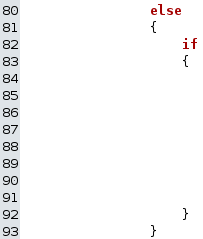
program conditional block example There's times when I have to remove an outter conditional block from a script & in order to keep everything orderly this means I also need to decrease the indent in the code within that conditional block by one.

To the right is an example of this situation. I want to remove the else outter conditional since the inner code needs to be evaluated whether the preceeding code succeeds or not.

Normally in something like Notepad this would mean alot of fancy finger work on the down arrow and the delete key on my keyboard.
In Notepad2 I was able to utilize the find & replace support for Regular Expressions and remove the tabs from the beginning of each line in the selection.

Now that I have gedit as my primary editor since I'm on Ubuntu I don't have acces to Notepad2, however I do have access to the External Tools plugin for gedit.

Through the external tools plugin I can filter selected text through sed, which is basically a RegEx filter designed to be used with pipes.

So I setup two new commands through that plugin, one for decreasing the indent by one which I call indent-- and another which I use to do the exact oppisite which I call indent++

If you're new to gedit like I am, first you'll need to enable the Enternal Tools plugin.
You do this by going through
Edit -> Preferences -> Plugins Tab -> Check "External Tools"


This will enable the following menu option where you can manage commands to filter selected text and documents through.
Tools -> External Tools


The dialog for managing tools is pretty self explainitory, here's what I entered for the command to be used for my indent-- tool.
#!/bin/sh

sed 's/^\t//g'


Here's the command I'm using for my indent++ tool.
#!/bin/sh

sed 's/^/\t/g'


I actually got the idea after seeing the existing command to remove whitespace from the end of lines.